

Upcoming Product
Wipe Data on Domain Network Connected Computers
Standard EditionD-Secure File Eraser Network
Permanently erase files, folders, internet history, and system traces across domain-connected endpoint devices. Schedule erasure tasks and stay compliant from a central location.
NIST 800-88
GDPR
HIPAA
SOC 2
D-Secure Network Eraser Console
5,000+
Endpoints
100%
Remote Wipe
27+
Standards
Network File Shredding — Active Directory
48 of 50 Machines96%
Finance_Share_Volume_C
1m agoHR_Sensitive_Archive
3m agoKey Takeaways
- Domain Erase: Permanently erase files across domain-connected endpoint devices.
- Centralized Management: Centralized admin console for scheduling network erasure tasks.
- Audit Reports: Generates cryptographically signed, tamper-evident erasure reports.
- Global Compliance: Complies with NIST 800-88, DoD 5220.22-M, and GDPR.
What You Can Erase
Comprehensive data destruction capabilities for all types of sensitive information
Domain Files & Folders
Securely wipe sensitive files and folders across all domain-connected machines from a central admin console.
Mapped Network Drives
Permanently erase data from mapped network drives and shared volumes across the enterprise infrastructure.
Internet & App Traces
Remove digital footprints by wiping browser history, cookies, and application traces from network endpoints.
High-Speed Parallel Wiping
Simultaneously erase data on multiple domain machines with high-speed multithreaded algorithms.
Keyword & CSV Search
Search and erase specific files using keywords or by importing file paths directly from CSV files.
Scheduled Tasks
Automate erasure routines at regular intervals to maintain data hygiene across the domain network.
See File Eraser in Action
Watch how D-Secure File Eraser permanently destroys sensitive data with audit-ready documentation
Upcoming Product
Interactive Demo
Our interactive sandbox environment is currently under development. Stay tuned for the full release.
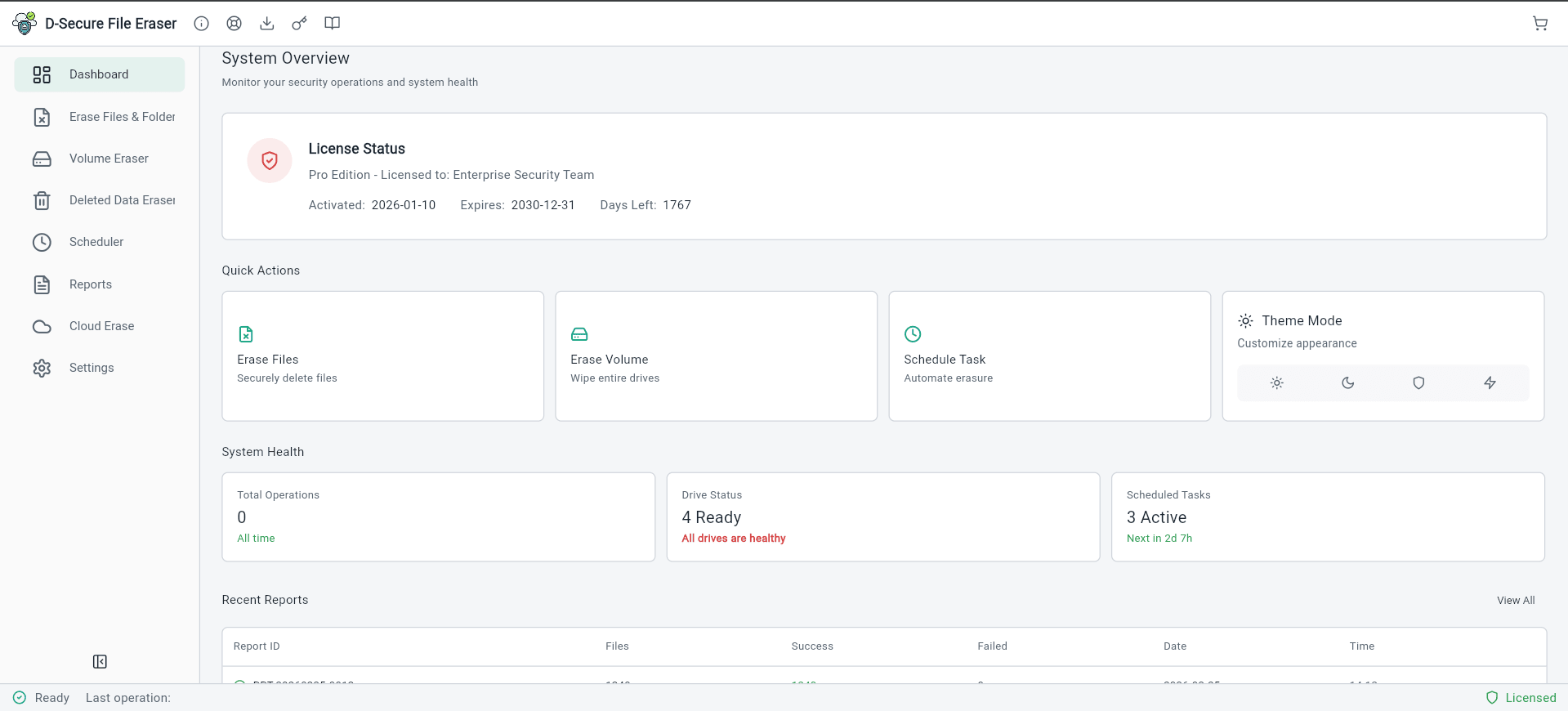
Upcoming
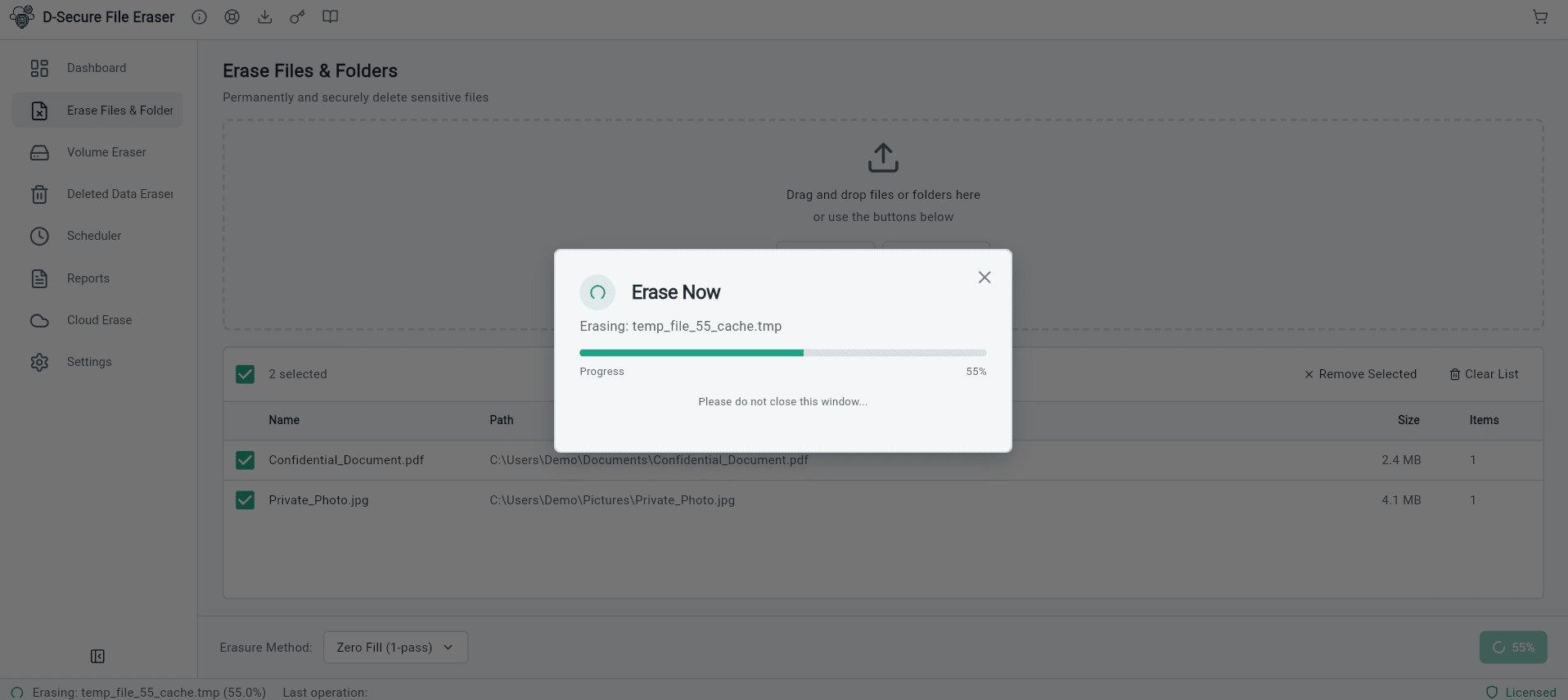
Upcoming
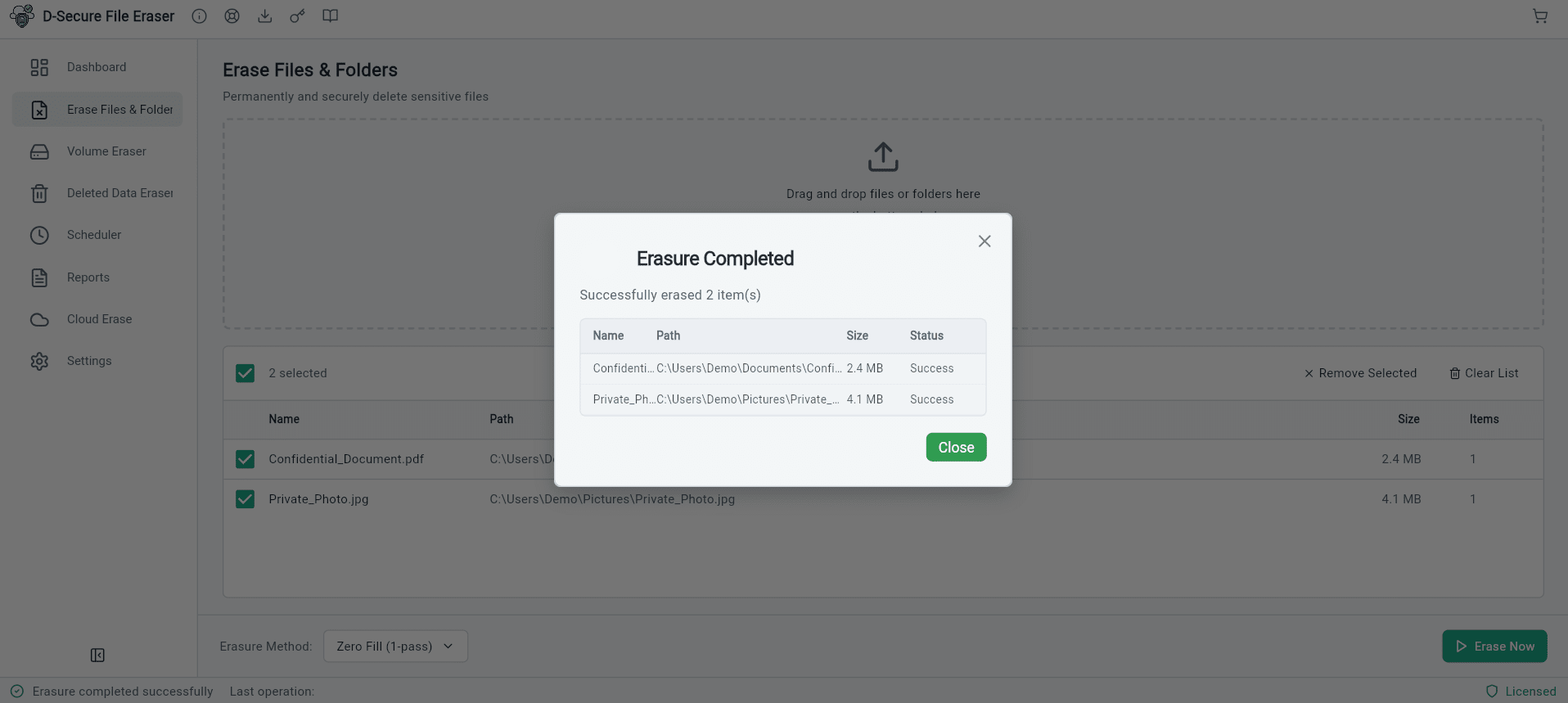
Upcoming
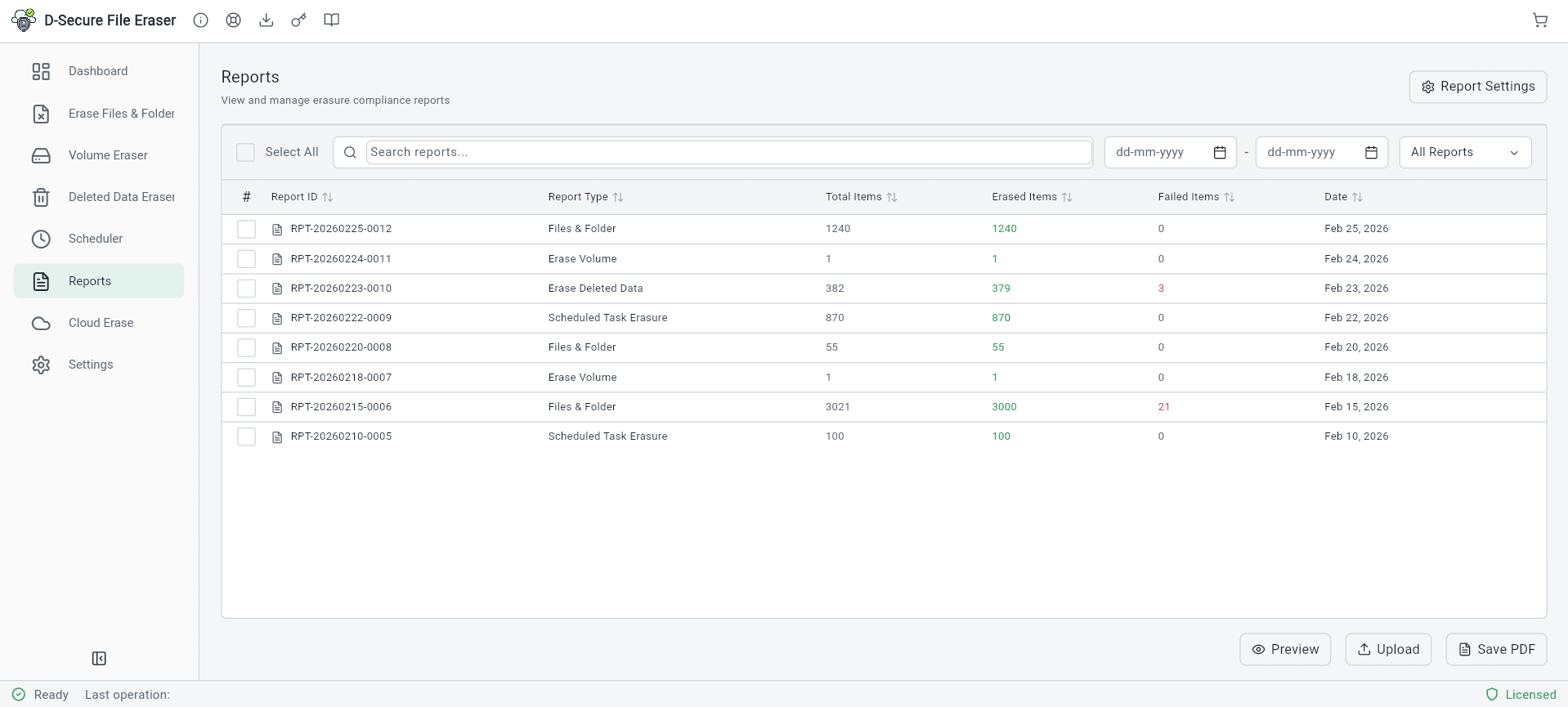
Upcoming
Deploy & Erase Across the Entire Domain
IT Admins can manage data sanitization with zero physical intervention using remote deployment tools.
01
MSI Packaging
Prepare the software as an MSI package for group policy (GPO) deployment.
02
Remote Push
Push the eraser to all endpoint devices or specific Organizational Units.
03
Central Command
Select files or schedule wiping tasks from the admin console across the domain.
04
Audit Trail
Automatically receive signed erasure reports in the Cloud repository for compliance.
Compliance-Ready by Design
D-Secure File Eraser supports organizational compliance initiatives by aligning with widely accepted data protection principles and secure erasure best practices
NIST 800-88
Guidelines for media sanitization ensuring data is permanently irretrievable.
DoD 5220.22-M
Standard for data erasure used by the U.S. Department of Defense.
GDPR
Ensures 'Right to Erasure' compliance for personal data protection.
HIPAA
Protects sensitive patient health information from unauthorized access.
SOX
Mandates secure data lifecycle management for corporate financial records.
PCI-DSS
Requirements for secure disposal of cardholder data and sensitive info.
Multi-Platform Support
Full support across your entire technology ecosystem
Windows Domain
Windows 10, 11, Server 2016 - 2025
Linux Enterprise
Ubuntu, CentOS, RHEL, Debian etc.
Private Cloud
VMware, Hyper-V, Nutanix & SAN/NAS
Powerful Features
Enterprise-grade capabilities designed for security professionals
18+ Erasure Standards
Native support for NIST 800-88, DoD 5220.22-M, Gutmann, and other international data sanitization protocols.
MSI Remote Deployment
Deploy the eraser across the network as an MSI package for remote wiping on Windows endpoint devices.
Scheduled Automation
Set recurring sanitization policies to maintain data hygiene and prevent unauthorized data accumulation.
License Pooling
Centrally manage and pool erasure licenses. Deactivate from one machine and reuse on another.
Centralized Management
Wipe data stored on all machines in the local organization network from a unified admin console.
Tamper-Evident Reports
Automatically generate signed, audit-trail reports for every deletion to meet regulatory compliance.
Cloud Repository
Save and access erasure reports on a centralized cloud console anytime, anywhere for audit readiness.
Discovery & Search
Powerful keyword-based searching across domain machines to identify and erase sensitive data files.
Use Cases
Trusted by individuals and enterprises worldwide
IT Admin Fleet Management
Centrally manage data privacy across Windows endpoints. Erase files, folders, and traces from a domain-connected location at regular intervals.
Secure Storage Hygiene
Free up disk space across domain-connected computers by permanently erasing obsolete technical residues and temporary files beyond recovery.
Confidential Data Destruction
Protect sensitive corporate assets by ensuring no trace of deleted files remains on hardware, preventing misuse and forensic extraction.
Global Compliance Audits
Stay compliant with EU-GDPR, HIPAA, and PCI-DSS by maintaining a verifiable digital audit trail of all erasure tasks performed over the network.
Technical Blogs
Expert insights on data security, erasure standards, and best practices
Education
Data Erasure Myths Debunked
Common misconceptions about data erasure and the truth behind them.
Read Article
March 14, 20261 min read
Technical
How to Wipe SSD from BIOS — Step-by-Step Secure Erase Guide (2026)
Step-by-step guide to securely wipe SSD or NVMe drives from BIOS/UEFI. Covers Secure Erase, Sanitize commands, and NIST 800-88 aligned methods.
Read Article
February 18, 20261 min read
Frequently Asked Questions
It is a specialized software that allows IT administrators to permanently erase files, folders, and system traces from all domain-connected computers across an organization from a centralized console.
Yes, it generates a cryptographically signed, tamper-evident erasure report for every machine, documenting the list of files erased and the standard used for audit trails.
The software is available on an annual subscription model per computer. You can centrally manage and pool licenses from the cloud console.
Yes, if a task is already scheduled for a computer or Organizational Unit (OU), it will execute at the scheduled time even if the machine is temporarily disconnected.
Absolutely. You can use keywords or import CSV files containing paths to search and identify sensitive data before performing an erasure task.
Yes, the software supports both online and offline activation methods to accommodate air-gapped or restricted network environments.
Talk to Our Data Security Experts
Get personalized guidance on deployment, licensing, and audit-ready data erasure strategies tailored to your organization's needs.
- Enterprise & SMB licensing options
- Compliance-focused implementation
- White-label branding available
- No-obligation consultation