
Autopilot & MDM Checker for ITAD: The Complete Guide to Compliant Device Resale
Why every laptop, tablet, and phone leaving a decommissioning program needs an enrollment check before it reaches a buyer — and how to build that check into your workflow.
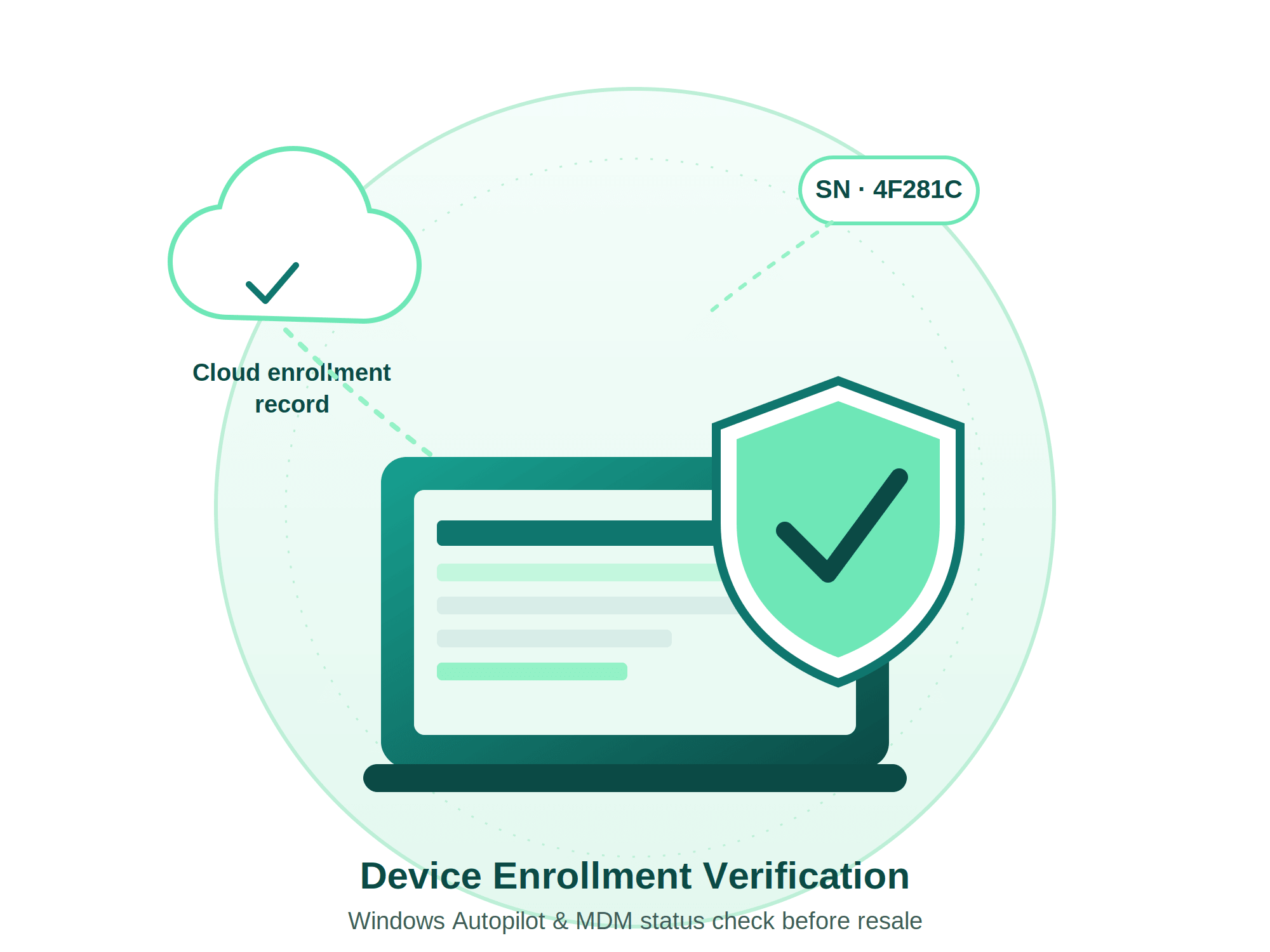
Key Takeaways
- A factory reset or clean OS install does not remove Windows Autopilot or MDM enrollment — the hardware stays linked to the original organization's tenant.
- ITAD teams that skip enrollment checks risk shipping "clean but locked" devices, driving returns, chargebacks, and compliance findings.
- An Autopilot/MDM checker scans a device's hardware ID or serial number against Microsoft, Apple, and Samsung enrollment records and reports a simple Locked/Unlocked status.
- Only the enrolling organization, Microsoft, or an authorized OEM/reseller partner can actually remove the enrollment — the checker's job is detection, not deregistration.
- Enrollment checks are becoming a practical requirement for NAID AAA, R2v3, and e-Stewards audits, since they are the most reliable way to prove a device has been fully released from a prior tenant.
On this page
The problem hiding behind "clean but locked" devices
Picture a fairly ordinary day at a mid-sized IT Asset Disposition (ITAD) facility. A pallet of 400 laptops arrives from a corporate client that just finished a fleet refresh. Every drive is wiped to NIST 800-88 standards. Every unit passes diagnostics. Every serial number is logged, graded, and boxed for resale.
Three weeks later, a support ticket lands: a buyer on the other side of the world has powered on their "refurbished" laptop only to be met with a sign-in screen reading, in effect, "This device is owned by [Company Name]. Contact your organization's administrator." The drive is empty. The operating system is factory-fresh. And the device is still, for all practical purposes, someone else's property.
That isn't a data-erasure failure. It's an enrollment failure — and it's quickly becoming one of the most common, most expensive blind spots in modern IT asset disposition.
As enterprises lean harder on cloud device management platforms like Windows Autopilot and Mobile Device Management (MDM) to provision and control their fleets, that same management layer follows the hardware long after the device leaves the building. The global ITAD market, valued at roughly $25 billion in 2024 and projected to climb to $54.5 billion by 2030 at a 14% compound annual growth rate, is scaling up at exactly the moment this problem is becoming more common, not less.
What Windows Autopilot is, and why it outlives a factory reset
Windows Autopilot is Microsoft's zero-touch deployment service. Instead of an IT technician imaging every new laptop by hand, a device manufacturer, reseller, or the IT department itself registers the device's unique hardware hash — a fingerprint generated from its hardware components — with Microsoft. From that point on, whenever the device boots into Windows' initial setup screen, it automatically checks in with the Autopilot service, recognizes it belongs to a specific organization, downloads that organization's branding and policies, and enrolls itself into that company's Intune tenant with almost no user interaction.
That convenience is exactly what makes offboarding tricky. The hardware hash is a physical-device fingerprint, not something that lives on the hard drive. Reinstalling Windows, wiping the disk, or replacing the operating system entirely does nothing to it, because the record lives in Microsoft's cloud, tied to the organization's Entra ID tenant — not to any file, partition, or drive inside the machine. A device can be forensically wiped to government standards and still walk straight back into its previous employer's sign-in screen the moment it reaches out to the internet during setup.
Removing that link — deregistration — has to happen from the organization's side, inside Intune's Windows Autopilot devices list, or through Microsoft support if the original tenant is unreachable. Microsoft's own guidance is specific here: deleting a device from Autopilot alone can leave orphaned objects in Intune and Entra ID unless the full sequence — unenroll from Intune, delete the Autopilot record, and clean up any on-premises Active Directory object — is followed in order. Skip a step, and the device can silently re-register itself the next time it connects to the internet.
MDM: the broader management layer behind the enrollment
Windows Autopilot is Microsoft-specific, but the underlying pattern — cloud-based device management that quietly re-asserts itself after a wipe — shows up across every major platform. Mobile Device Management (MDM) is the umbrella term for these systems: Microsoft Intune, Jamf and Apple Business Manager for macOS and iOS, Samsung Knox and general EMM platforms for Android, and VMware Workspace ONE for mixed fleets.
The mechanism is broadly similar wherever it shows up. An organization enrolls a device — sometimes automatically through Apple's Device Enrollment Program or Samsung Knox Mobile Enrollment at the point of purchase — and that enrollment is recorded against the device's serial number or IMEI at the vendor level, not on the device's storage. When a wiped device reconnects to the internet, it checks in with the vendor's activation or enrollment service, recognizes it's still tied to an active tenant, and automatically re-applies management: configuration profiles, restrictions, and in the worst cases an Activation Lock or MDM lock screen a new owner cannot bypass without the original organization's cooperation.
| Aspect | Windows Autopilot | MDM (Intune / Jamf / Knox / Workspace ONE) |
|---|---|---|
| What it controls | How a device provisions itself out of the box | Ongoing management, restrictions & remote actions |
| Tied to | Hardware hash + Entra ID tenant | Serial number / IMEI + enrollment or activation service |
| Survives a wipe? | Yes | Yes |
| Who can remove it | Enrolling org's Intune admin, or Microsoft/OEM support | Enrolling org's MDM admin, or the platform vendor's support |
| Visible sign of a problem | Prior org's branding / sign-in screen reappears at setup | Activation Lock or MDM lock screen; restricted device |
What an Autopilot / MDM checker actually does
An Autopilot checker — such as D-Secure Autopilot Detection — is a dedicated software scan that reads a device's hardware hash or serial number and queries it against the relevant enrollment service: Microsoft's Autopilot/Intune records for Windows devices, Apple Business Manager for Mac and iOS, or Samsung Knox and other EMM consoles for Android. The result comes back as a straightforward status: enrolled or not enrolled, and "Locked" or "Unlocked" to describe whether that enrollment will actively interfere with setup.
For mobile hardware specifically, this often takes the form of an IMEI-based lookup: a serial or IMEI is checked against activation-lock and MDM-lock databases, the same mechanism used to confirm whether a used phone is genuinely unlocked before it's listed for resale.
Important Distinction
A checker does not remove the enrollment. Deregistration is an administrative action that has to happen inside the enrolling organization's own management console — or, if that organization can no longer be reached, through a verified support process with Microsoft, Apple, or the OEM, typically requiring proof of ownership such as an invoice or service tag.
The real value of a detection tool is turning an invisible problem into a visible, actionable one. Instead of discovering a lock when a buyer powers the device on, the ITAD team gets a per-serial-number report at intake or right after erasure, flags every locked unit, and can go back to the client with a specific, verifiable list — "these 14 serials are still Autopilot-enrolled; please deregister them before we release this batch" — rather than a vague warning that something, somewhere, might still be linked.
Building the check into your workflow
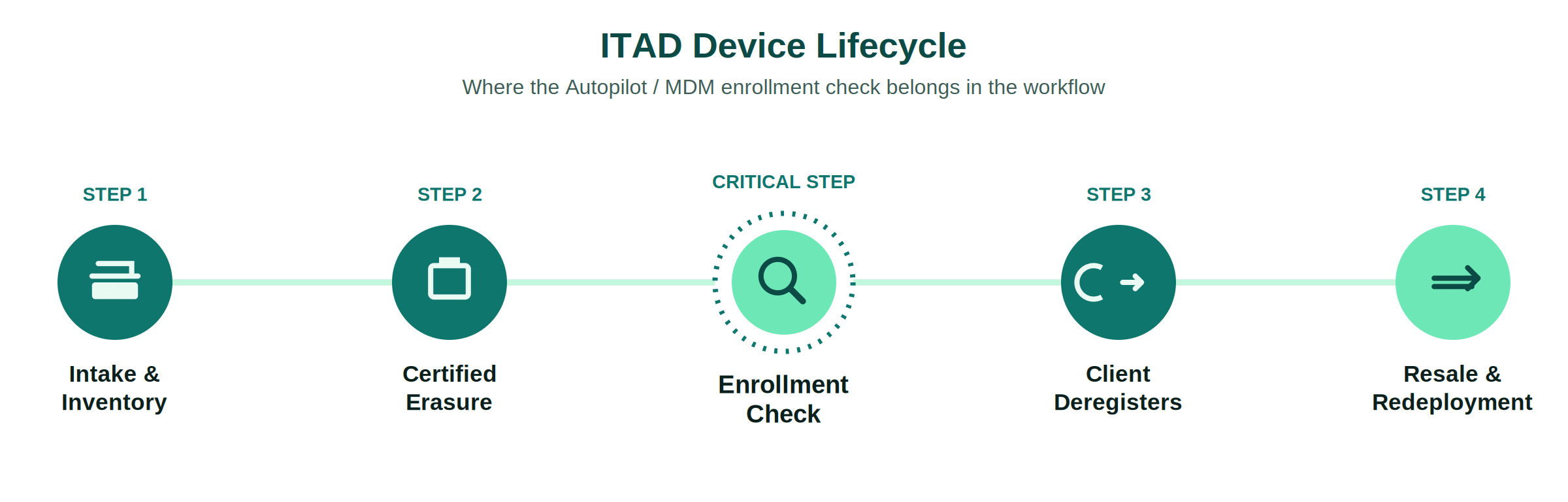
An enrollment check works best as a fixed checkpoint, not an occasional spot-check. A practical 8-step sequence looks like this:
Intake and inventory
Log every device by serial number or IMEI as it arrives, before anything else happens to it.
Autopilot/MDM detection scan
Run scan during or immediately before diagnostics so locked units are flagged before erasure efforts.
Per-serial status report
Every device receives a clear Locked/Unlocked status, timestamped and tied directly to its serial number.
Quarantine locked units
Keep enrolled devices strictly segregated from resale-ready inventory until status clears.
Client deregistration request
Hand back a short, specific list of serials needing release from Intune, ABM, or Knox console.
Standards-based data erasure
NIST 800-88 sanitization, documented with tamper-proof Certificates of Data Destruction.
Re-scan before release
Confirm deregistration has cleared in the vendor cloud; don't rely on verbal confirmation alone.
Grade, test, and release
Only units showing clean enrollment status move to resale, reuse, or remarketing channels.
The business case for ITAD providers
Enrollment checks aren't just a compliance formality — they change the economics of a disposition program in four concrete ways.
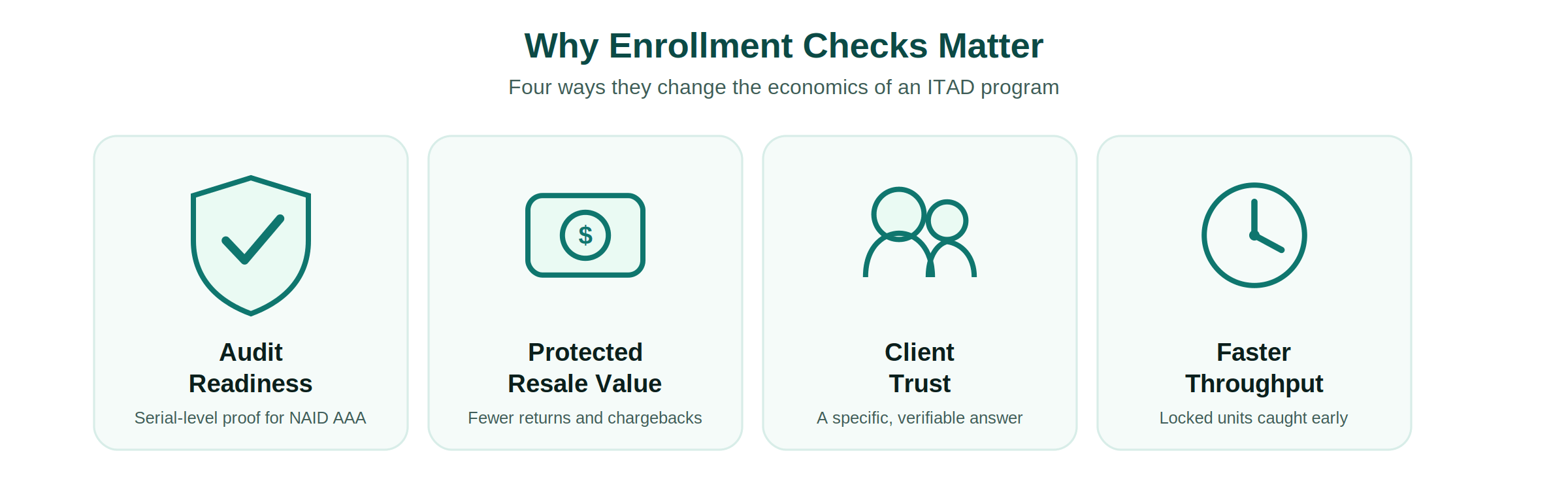
Audit Readiness
Documented, serial-level proof of a clean release stands up to NAID AAA's scheduled and surprise audits.
Protected Resale Value
Catching locked units at intake protects margin on the whole batch, avoiding costly returns and refunds.
Client Trust
"We check every device before it leaves" is a specific, verifiable assurance competitors often can't give.
Faster Throughput
Flagging locked units early keeps them from clogging erasure, grading, and testing stations downstream.
Key Market Numbers
$54.5B
Projected 2030 ITAD Market (14% CAGR)
~$7B
Refurbished Laptop Market
$10.2M+
Average Cost of Data Breach
22.3%
E-Waste Reaching Recycling Facilities
Where checks fit ITAD certification requirements
None of the major ITAD certifications name "Autopilot checker" specifically — the standards are written to be technology-neutral — but each requires exactly the kind of proof an enrollment check produces.
NAID AAA
Administered by i-SIGMA, NAID AAA is built around chain-of-custody and verifiable data destruction, backed by both scheduled and surprise audits. A device that re-enrolls itself into a former tenant after "destruction" undermines the very claim the certification is meant to back up.
R2v3
The Responsible Recycling standard from SERI folds data security requirements directly into a broader framework for safe, responsible electronics reuse and recycling, along with downstream tracking obligations that follow a device even after it leaves your facility.
e-Stewards
Widely regarded as the most stringent certification available, e-Stewards requires every processing facility in the chain to hold NAID AAA certification and layers on international export restrictions under the Basel Convention — meaning a locked device that gets exported or resold carries compounded risk.
NIST 800-88 and Government Contracts
NIST 800-88 sets the technical bar for media sanitization — but sanitization and de-enrollment are two separate technical problems solved by two separate steps. For organizations under CMMC 2.0 or FISMA, complete offboarding records are vital during audits.
Best practices checklist
For Enterprises (Pre-ITAD)
- Run local check (
Get-WindowsAutopilotInfoordsregcmd /status) to verify status. - Deregister retiring devices from Autopilot in Intune, then delete from Intune following the full documented sequence.
- Delete Entra hybrid-joined computer objects from on-premises AD so they don't resync.
- Unenroll devices from Apple Business Manager, Samsung Knox, or third-party MDMs.
- Provide ITAD partners with a clean serial manifest alongside physical assets.
For ITAD Providers
- Run an Autopilot/MDM detection scan at intake before investing in erasure or grading.
- Quarantine any device that returns a Locked or Enrolled status.
- Send clients a specific, serial-numbered deregistration request.
- Re-verify enrollment status after the client confirms deregistration.
- Record enrollment status alongside sanitization method on Certificate of Destruction.
Choosing the right checker tool
Not every detection tool covers the same ground, and the gaps matter at scale. Before adopting one, check for the following:
Cross-platform coverage
Windows Autopilot/Intune, Apple Business Manager/DEP for macOS/iOS, and Knox for Android.
True bulk scanning
Processes entire pallets or queues of devices in one pass rather than device by device.
Workflow integration
Results attach directly to erasure/diagnostic reports and Certificates of Data Destruction.
Audit-ready reporting
Exportable, timestamped, serial-number-level logs ready for auditor scrutiny.
Update cadence
Tool stays accurate through Microsoft, Apple, and Samsung cloud API updates.
D-Secure Autopilot & MDM Detection Tool
Instant batch status scanning, tamper-proof reporting, and integration with NIST 800-88 erasure certificates.
Frequently Asked Questions
An Autopilot checker is a scan that reads a Windows device's hardware hash or serial number and checks it against Microsoft's Windows Autopilot and Intune enrollment records, returning a status such as Enrolled/Not Enrolled or Locked/Unlocked. It's a detection tool, not a removal tool — the actual deregistration has to happen inside the enrolling organization's Intune tenant.
No. Autopilot enrollment is tied to the device's hardware hash and recorded in Microsoft's cloud against the organization's Entra ID tenant, not stored on the drive. Reinstalling Windows, wiping the disk, or resetting the device has no effect on it.
Only the organization that registered the device through its Intune admin center, Microsoft support with verified proof of ownership, or in some cases the OEM/Cloud Solution Provider partner that originally registered it on the organization's behalf.
Neither standard names the check by that specific term, but both require documented, verifiable proof that a device has been fully released from its previous owner's control. An enrollment check is the practical way to produce that evidence for cloud-managed devices.
Yes. Tools built for ITAD and refurbishing typically cover Apple Business Manager/DEP-based MDM locks on macOS and iOS, and Samsung Knox or general EMM enrollment on Android, usually via a serial number or IMEI lookup, alongside Windows Autopilot detection.
The new owner typically sees the original organization's branding or sign-in screen during setup and, in locked cases, cannot get past it without the original organization's cooperation. For the seller, this usually means a return, refund, or chargeback, plus the reputational and compliance cost of shipping a device that was never fully released.
The bottom line
Windows Autopilot and MDM enrollment were built to make onboarding effortless — devices that configure themselves the moment an employee opens the box. The same design that makes onboarding invisible makes offboarding easy to miss, because the record tying a device to its organization lives in the cloud, not on the hard drive a technician is busy sanitizing. For an ITAD program, that's not a footnote — it's a checkpoint that belongs in the workflow with the same weight as data erasure itself.
A device that's cryptographically clean but still administratively tied to its last owner isn't actually ready for resale; it's a support ticket waiting to happen. Building a straightforward Autopilot/MDM check into intake and pre-release verification turns that risk into a documented, auditable, and entirely preventable non-issue.
Automate Autopilot Detection & Data Sanitization
Detect locked enrollment states and generate tamper-proof, audit-ready Certificates of Data Destruction that record NIST 800-88 Rev 2 and IEEE 2883-2022 erasure methods.
Solutions for IT Asset Disposition & Device Management
Explore the full D-Secure data security suite
How Do Experts Handle This?
Standard Compliance
Meeting NIST 800-88 and GDPR standards with full audit trails.
Enterprise Ready
Scalable solutions for ITAD partners and large organizations.
Securing Data Everywhere
Trusted by global enterprises for zero-leakage data sanitization.
Related Articles
250+ TB of Enterprise Data Securely Erased in a Single Month
Data Breach Response: Forensic Preservation vs Erasure
Enterprise Data Erasure Compliance Guide | D-Secure
Comments (0)
Your email address will not be published. Providing an email is optional.
Have Questions About This Topic?
Send us an enquiry regarding: Autopilot & MDM Checker for ITAD: The Complete Guide to Compliant Device Resale
No comments yet. Be the first to comment.